
We have detected some cases where students cannot see their final grade (Course Total) in a subject.
Cause: This occurs when there are hidden grading elements and the "Hide total grade if there are hidden items" option is enabled in the course settings.
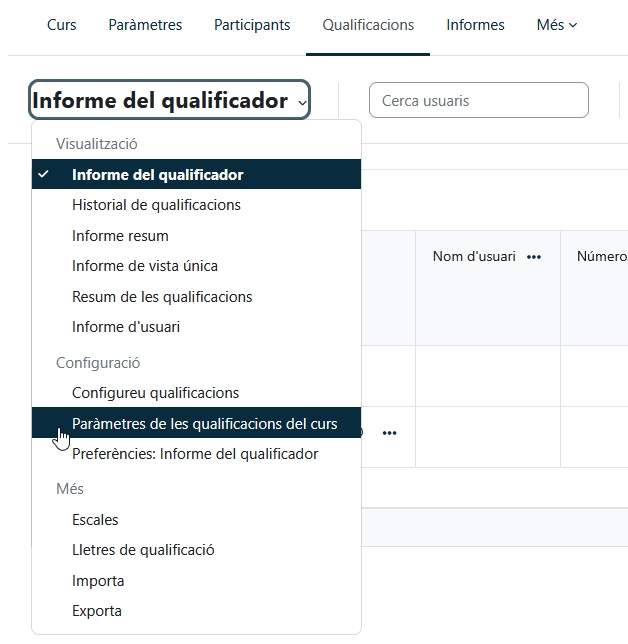
Solution: To change this setting and allow students to see their final grade, go to the "Grades" tab and then to "Course Grading Settings."
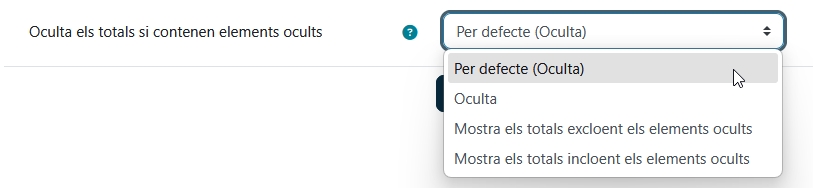
At the bottom of the list, you will find the option "Hide totals if they contain hidden items?", where you must choose (at the instructor's discretion) one of the two "Show totals..." options from the dropdown menu.
Once the change has been made, students will be able to see their final grades.